How to use the Free SEO and GEO Audit
- Enter a public URL. Paste the page you want to inspect. A bare domain is normalized to https.
- Run the free page audit. TimeToPost fetches the page plus its robots.txt and llms.txt files.
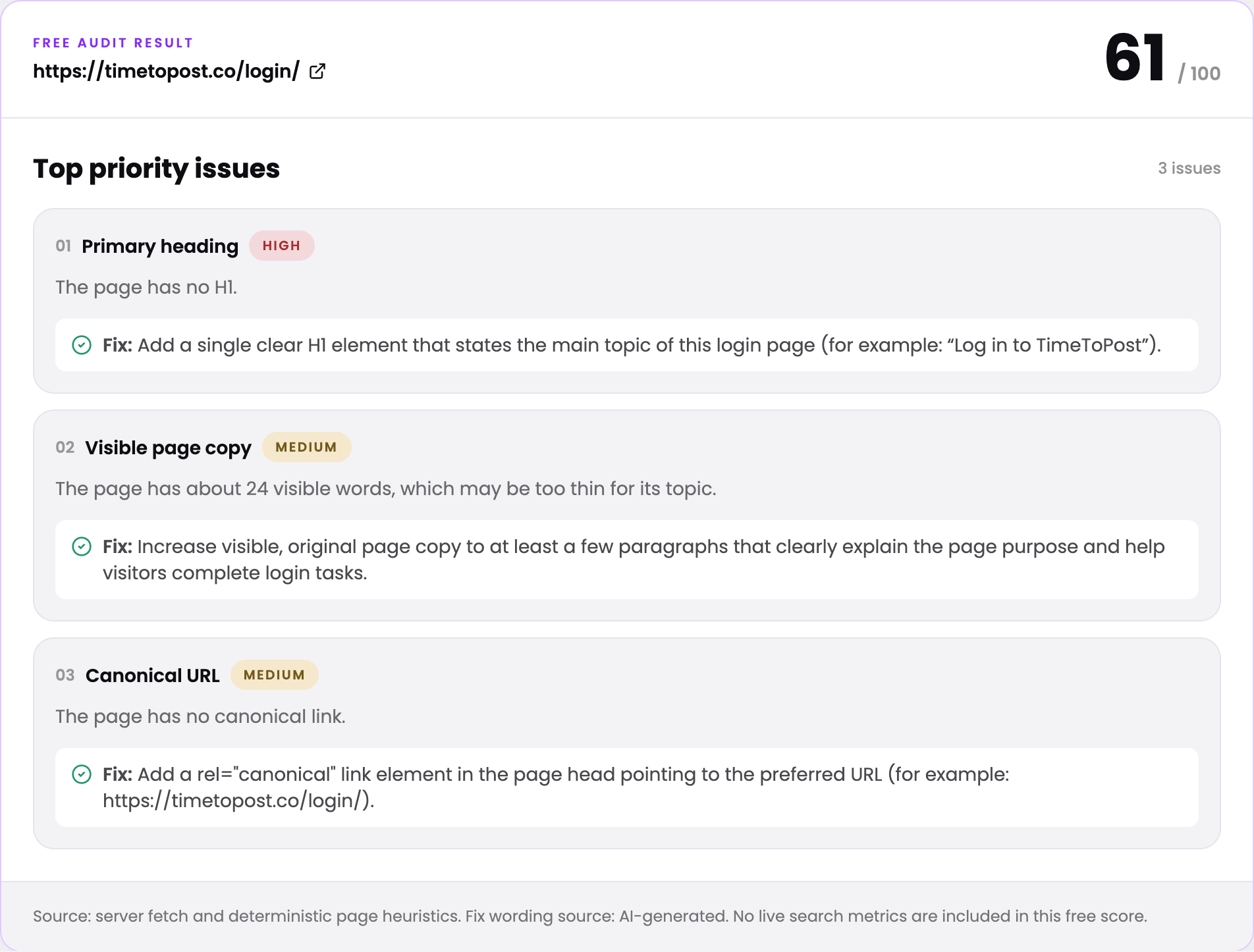
- Review the score and top issues. Use the 0 to 100 score and the three largest scoring gaps as a focused checklist.
- Request the full report if useful. Use email to unlock all checks and measured live ranking and keyword gap data when available.
How the free SEO and GEO audit works
Methodology
The free audit fetches one public URL on the server, follows the safe final URL and inspects the returned HTML. Ten checks cover the page title, meta description, H1, canonical link, schema.org markup, robots.txt, llms.txt, visible word count, internal links and Open Graph metadata. Each check has a fixed maximum score, and the points add up to 100. The three largest scoring gaps become the priority issue list.
Findings come from the fetched page and deterministic rules. Suggested fix wording can be clarified by the configured AI model, but that model receives the findings rather than inventing new page facts. If the model is unavailable, the audit uses a deterministic fix library. The result labels which path was used.
What the free and full tiers contain
The free result is designed to be complete enough to act on immediately: one score, up to three findings and one fix for each finding. It does not expose measured keyword data. Email is only requested after that result, when you choose to generate the deeper report.
The full report repeats the crawl with all ten checks and uses a connected data source for ranked keyword and keyword gap data. Those metrics are measured provider data rather than model estimates. Data sources can return partial results or be temporarily unavailable, so the private report preserves and displays data source status instead of fabricating rows.
How to use the audit
Start with a commercially important page, not automatically the homepage. A product page, service page or high-intent article usually gives you a clearer connection between a technical fix and a business outcome. Resolve high-severity items first, publish the change and run the page again. Keep a note of the old score so the audit becomes a repeatable quality check rather than a one-time grade.
Use the score to prioritize basic execution, then review search performance in your analytics and search console. Technical completeness cannot replace useful content, credible references, strong product positioning or links from other sites. For AI discovery, keep important claims factual, visible on the page and supported by clear documentation that other sources can verify.
Limitations
This is a single-page heuristic audit. It does not measure Core Web Vitals, JavaScript rendering after the initial fetch, backlink quality, index coverage, duplicate content across a whole site, local search factors or actual rankings. Protected pages and sites that block automated fetching may not be auditable. Use the result as a focused technical checklist, not a promise of search or AI visibility.
Frequently asked questions
Is the TimeToPost SEO audit free?
Yes. The free tier checks one public page, returns a 0 to 100 score and shows up to three priority issues without requiring an email. The deeper report is optional and delivered by email.
What does the free SEO audit check?
It checks the page title, meta description, H1, canonical URL, structured data, robots.txt, llms.txt, visible word count, internal links and core Open Graph fields.
Why is this called an SEO and GEO audit?
The audit covers standard search elements and AI discovery signals such as structured data, clear page copy and llms.txt. It does not claim that one technical check can guarantee a citation in an AI answer.
Does the free audit crawl my whole website?
No. It fetches the URL you enter and checks robots.txt and llms.txt at that site root. It does not crawl every page, log into private areas or change the website.
What is included in the emailed SEO report?
The full report includes all ten page checks and attempts to add measured live rankings and keyword gap opportunities. Data source status is shown honestly if deep data is unavailable or partial.
Is the SEO score a Google ranking score?
No. It is a transparent TimeToPost heuristic score for the ten checks listed on this page. Google does not publish this score, and a high score does not guarantee rankings or traffic.
Do I need to sign up or enter an email to run the audit?
No. Type a URL and run it. The score and your three highest priority fixes appear on the page without an account or an email. Email is only asked if you want the optional full report with all ten checks.
How long does a free SEO audit take?
Usually a few seconds. The tool fetches your page, robots.txt and llms.txt, applies the ten checks and returns the score. A full-site crawler takes much longer because it visits every page.
What is a good SEO score on this audit?
Treat 90 and above as solid on-page basics, 70 to 89 as worth a quick pass, and anything lower as a list of easy fixes. The score only covers the ten checks above, so it says nothing about backlinks, speed or how well your content answers the query.
How do I fix the issues the audit finds?
Each issue comes with a plain English fix, such as a title between 30 and 60 characters or a single H1. For fixing content gaps at scale, AutoSEO researches keywords, writes articles and publishes them to your site with your approval first.